

Save-the-Date 2027: More Than Just a Card
Why a Save-the-Date for 2027 often comes too early—and how to turn your card into a lively conversation with your guests...
12 vegetarian, 3 vegan, 1 nut allergy, and 47 cousin notes like "no fish": Here’s how to track meal preferences for 80 guests without losing your mind.
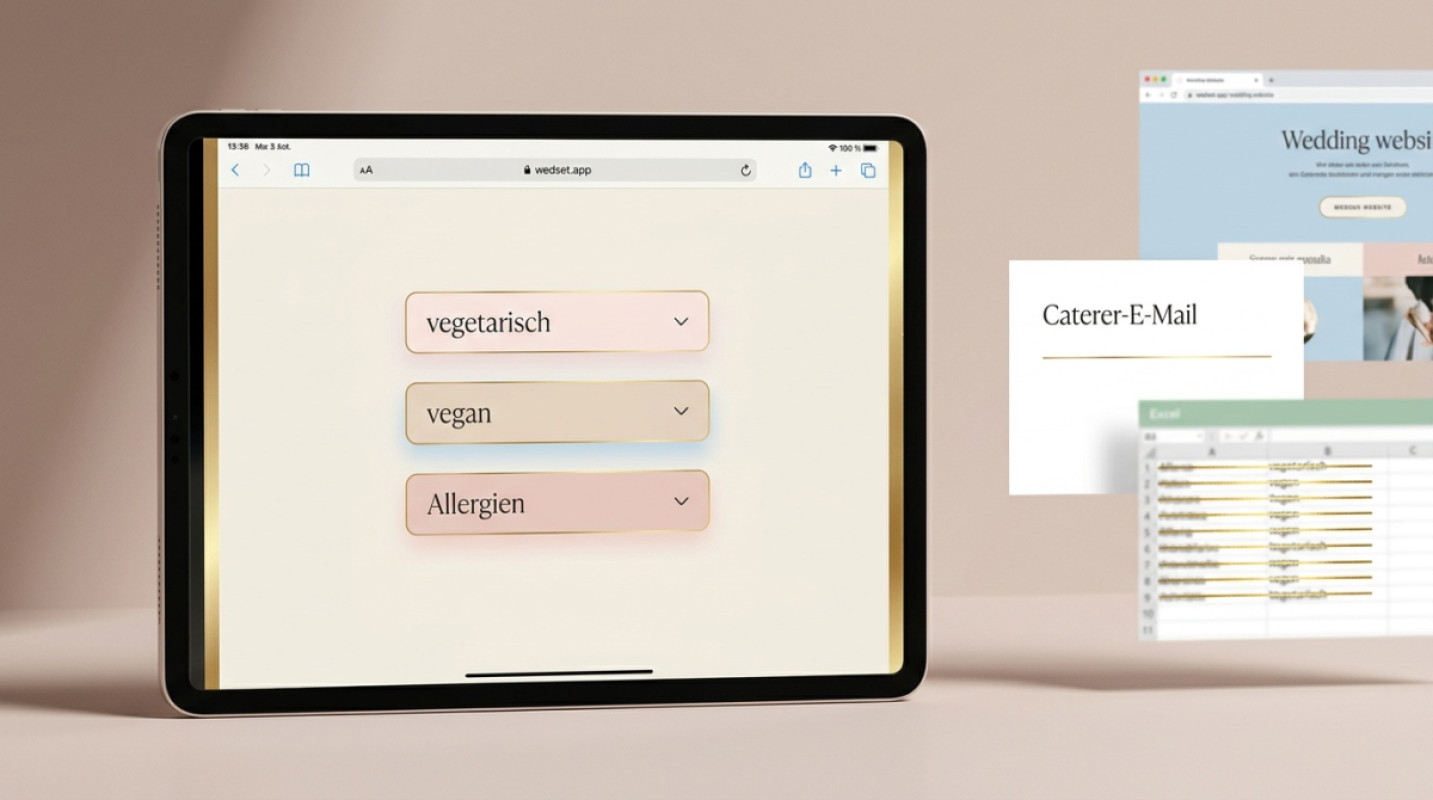
A wedding with 80 guests typically involves around twelve vegetarian main courses, three vegan portions, one nut allergy, and forty-seven cousin notes like "doesn’t eat fish." If you’re managing this in a spreadsheet, you’ll be searching for the right version on the morning of the wedding. And yes, there’s always more than one.
If you’re at the stage where your caterer is politely asking for "quantities per diet," you know the feeling. Suddenly, terms like pescetarian, lactose intolerance, and "just a little gluten-free" are flying around your inbox, and Pinterest is spitting out pretty—but completely static—tracker templates. They look nice. They won’t help anyone on the wedding day.
This guide shows you how to handle this from the start, step by step, without spreadsheet drama or giving up in frustration three days later.
The most common misconception: Couples think the caterer wants a breakdown like "12 vegetarian, 3 vegan, 65 meat." In reality, the service and kitchen team need something entirely different on the wedding day—a list of names per diet, linked to seating assignments. This way, the server knows exactly which seat gets the vegan main course and who receives the nut-free dessert plate.
A simple headcount without seating connections inevitably leads to the scene we’ve all witnessed: A waiter stands hesitantly between Table 4 and Table 7 with two plates, and Aunt Birgit accidentally gets the lamb she didn’t want.
The caterer doesn’t want an Excel sheet. They want to know who sits where and what’s in front of them.
The caterer’s deadline is usually two weeks before the wedding. If you start asking three weeks beforehand, you’ll run into a problem—guests rarely respond on the same day. Realistically, this means:
With the Save-the-Date (about six to eight months ahead), you launch the initial query. Vegetarian, vegan, serious allergies. That’s it. This is about categories, not details.
Three months before, alongside the official invitation with RSVP, you add the finer points. "No lamb," "prefers fish over meat," lactose, gluten. This is where you’ll see if your system can handle updates or collapses on the second round.
Four weeks before, you cross-reference with the seating plan. Who sits where, who gets what. This is when you’ll notice if the data is well-maintained or if you’re starting over.
Two weeks before, the final list goes to the caterer. With names, seating, and dietary needs. Done.
Spreadsheets work beautifully for twenty people. For eighty, they don’t. The issue isn’t the volume—it’s the version control problem. Which file is current? Is it on your laptop, in an email attachment to the maid of honor, or in the cloud? Did Mom add something by hand yesterday?
On top of that, the data changes two to three times before the wedding. Someone gets pregnant and suddenly avoids raw fish. A friend discovers a histamine intolerance. An uncle decides he doesn’t want vegetarian after all. Each of these changes needs to be updated in three places: the list, the seating plan, and the caterer communication. If you’re doing this manually, you’ll forget at least one.
Guest List & RSVP Manage your guests, send invitations, and keep track of all responses. DiscoverInstead of treating meal preferences as a separate task, integrate them directly into your wedding website’s RSVP flow. When guests RSVP, they answer two or three questions about their preferences in the same step. No extra emails, no follow-ups, no PDF attachments that no one opens.
This is exactly what wedset.app’s guest management is designed for: Each guest has their own profile where dietary preferences and allergies are recorded. If something changes, you (or the guest) update the entry in real time. When the caterer needs the list, you export it with one click, including the link to the seating plan. That’s the real game-changer: The data doesn’t live in an isolated file—it’s connected to the table, seat, and menu selection.
By integrating the query directly into your wedding website, you also avoid the endless question, "Have you responded yet?" Automatic reminders go to guests who haven’t replied. You don’t have to personally message anyone who’s been ghosting you for three weeks.
The psychological hurdle is real. Many couples hesitate because they’re afraid of seeming "too early" or "too detailed." The solution is a warm, clear approach. Here’s a suggestion you can use directly:
"To make sure everyone enjoys their meal on the big day, we’re asking about your preferences now. Vegetarian, vegan, allergies, or even a dislike of Brussels sprouts—let us know what we should keep in mind. We’ll take care of the rest."
This works better than any formal query because it signals: We’ve got this under control—you don’t need to worry.
It always happens: Three days before the wedding, your mother-in-law calls to say she’s "suddenly having issues with garlic." A digital system handles this without requiring you to create a new file. You update the entry, the caterer export refreshes, and the final list includes the info where it belongs: at the assigned seat.
Prioritize clearly in the final days: allergies first, preferences last. If someone accidentally gets nuts on the wedding day, it’s a medical issue. If someone doesn’t like lamb, they can eat the sides.
Your job as hosts isn’t to maintain a flawless spreadsheet. Your job is to ensure that no one sits in front of an empty plate on the wedding night and no one ends up in the emergency room with an allergic reaction. Everything else is just a means to that end.
The good news: With a system that consolidates RSVPs, dietary preferences, and seating in one place, the dreaded data overload becomes a smooth routine. You ask once, update changes directly in the guest profile, and at the end, you hit "export." That’s it.
And if someone asks how you managed it all so effortlessly on the wedding day, you’ll know the answer.
Technically, yes. But with 80+ guests, it quickly becomes overwhelming because preferences change two to three times before the wedding, and the spreadsheet doesn’t link to the seating plan. A digital guest management system keeps the data live and exports it directly for the caterer.
Most caterers work with a simple list: name, table, seat, dietary preference. Flexible tools like wedset.app allow different export options, so you can adapt the list to your caterer’s requirements.
Prioritize by risk. Clarify allergies first, then vegetarian and vegan preferences, and finally likes/dislikes like "no lamb." Allergies are non-negotiable; everything else can often be resolved with sides.
Rule of thumb: two weeks before the wedding. Many caterers need this lead time for shopping and menu planning. It’s best to confirm the exact deadline when you book.
More ideas and experience for the planning ahead.
Why a Save-the-Date for 2027 often comes too early—and how to turn your card into a lively conversation with your guests...

Doubting whether to ask your partner? 7 honest signs of emotional readiness plus a courage toolkit to quiet the uncertai...

Did we forget something? This 12-point checklist will guide you relaxed through the final weeks before your wedding. For...